Uma história construída com confiança
MM HOSPEDAGEM

Tecnologia e infraestrutura acompanhando o crescimento dos nossos clientes.

Nossa história continua
M M H O S P E D A G E M

Evoluir não é apagar o passado.

Uma nova identidade

Evoluímos.

A experiência e a confiança da MMHospedagem agora ganham uma marca preparada para o futuro.

A MMHospedagem agora é

Tecnologia que impulsiona.

A mesma confiança, agora com uma estrutura ainda mais preparada para acompanhar sua empresa.

Preparando a nova experiência
0800 490 1900
Artigo da base MVO

How to connect on WhatsApp

Conteúdo técnico, orientações práticas e apoio para acelerar sua operação com a MVO.
API Whatsapp Autoatendimento Suporte técnico
Leitura objetiva e pronta para compartilhar

Imprima este material ou avance para o suporte humano caso precise de acompanhamento em um caso específico.

In this tutorial, you will learn how to connect the API to WhatsApp.


1 - Access our Client Area: https://www.mmhospedagem.com.br/clientarea.php

Login as shown in the image below:

login - Client Area


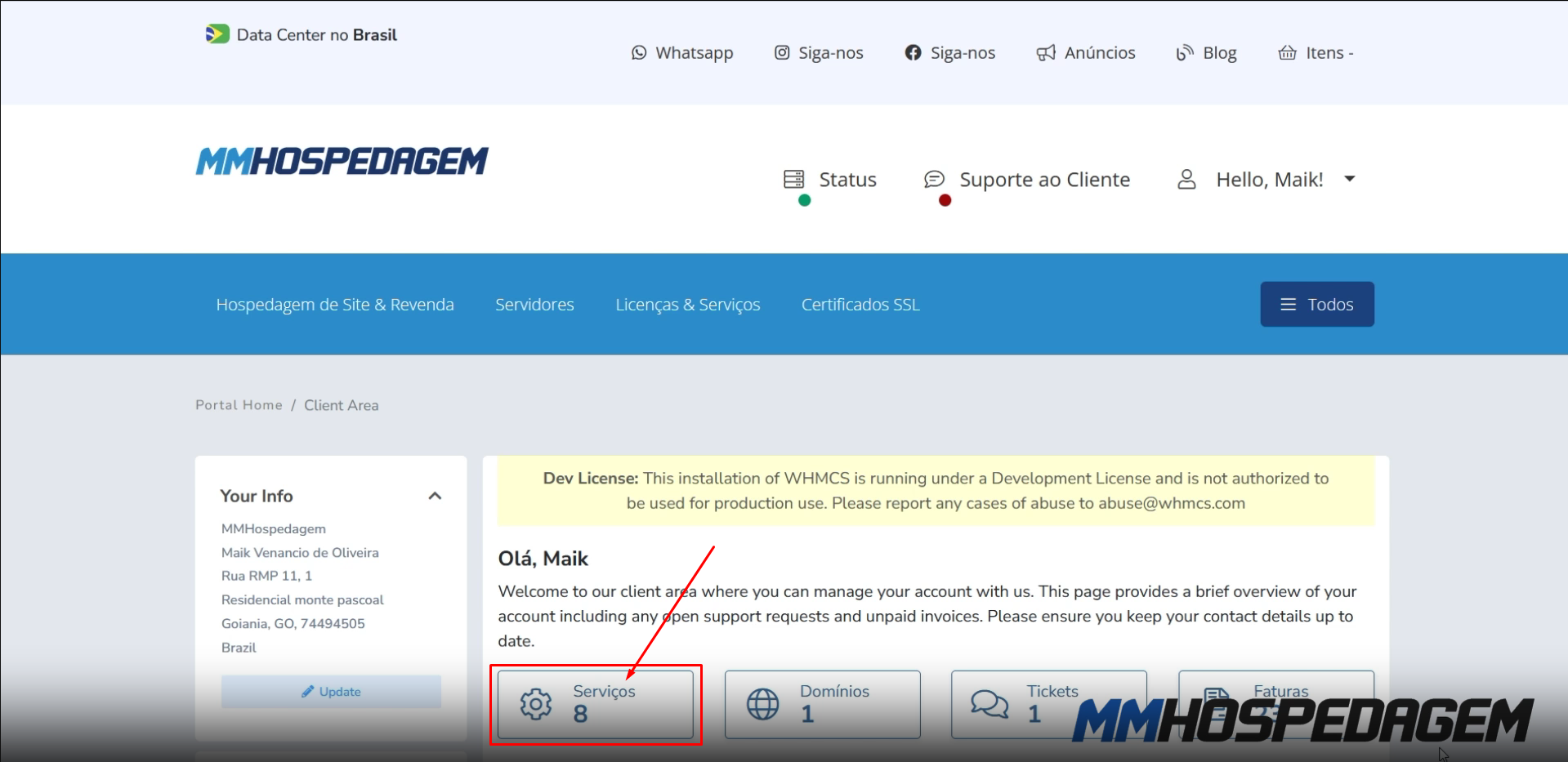
2 - After opening the Client Area, some information will appear, click only on "Services" as shown in the image below:
Client Area


3 - Locate the instance you want to configure and click on "Manage" as shown in the image below:


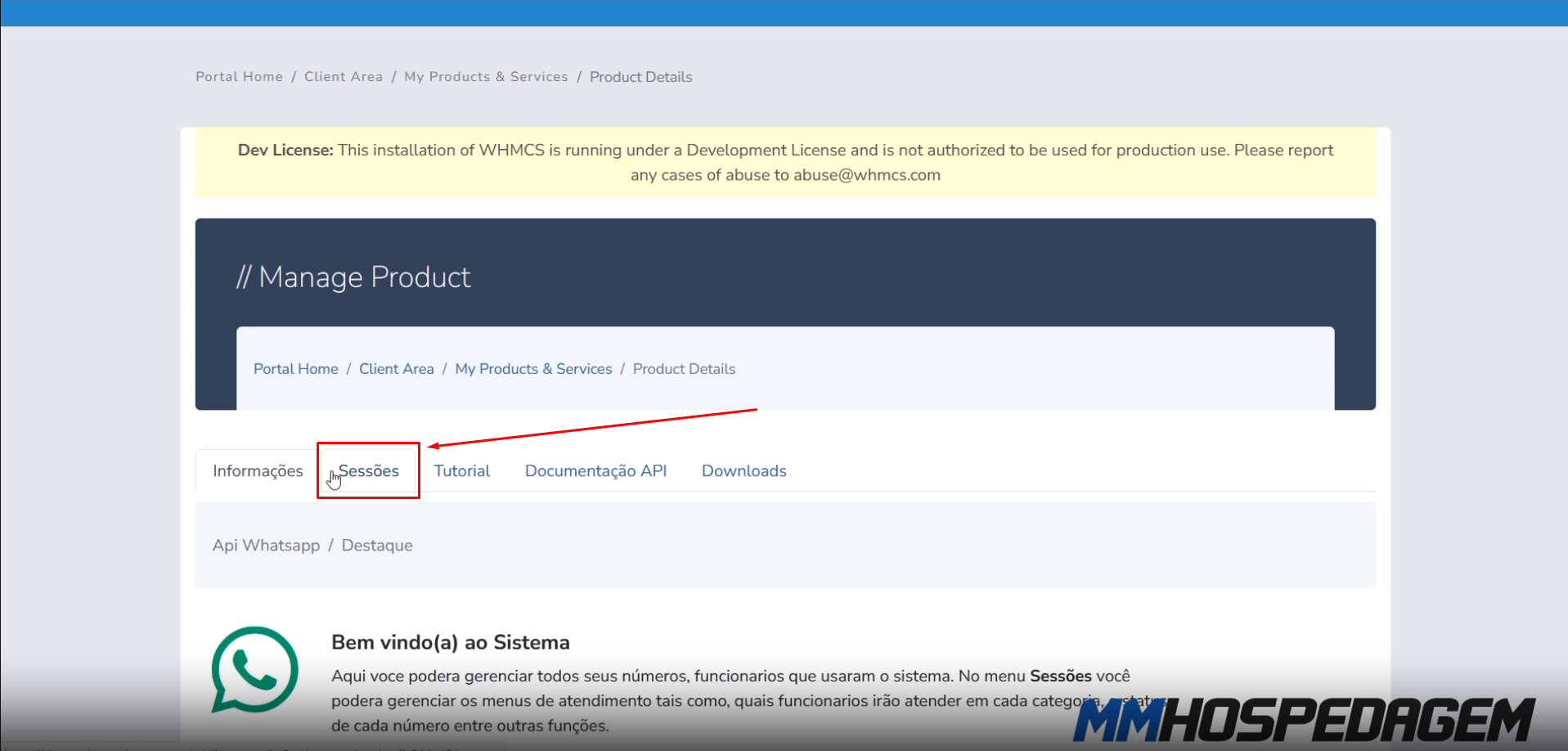
4 - Click on "Sessions" to manage your instance, then click on "Manage Instance" as shown in the images below:
 

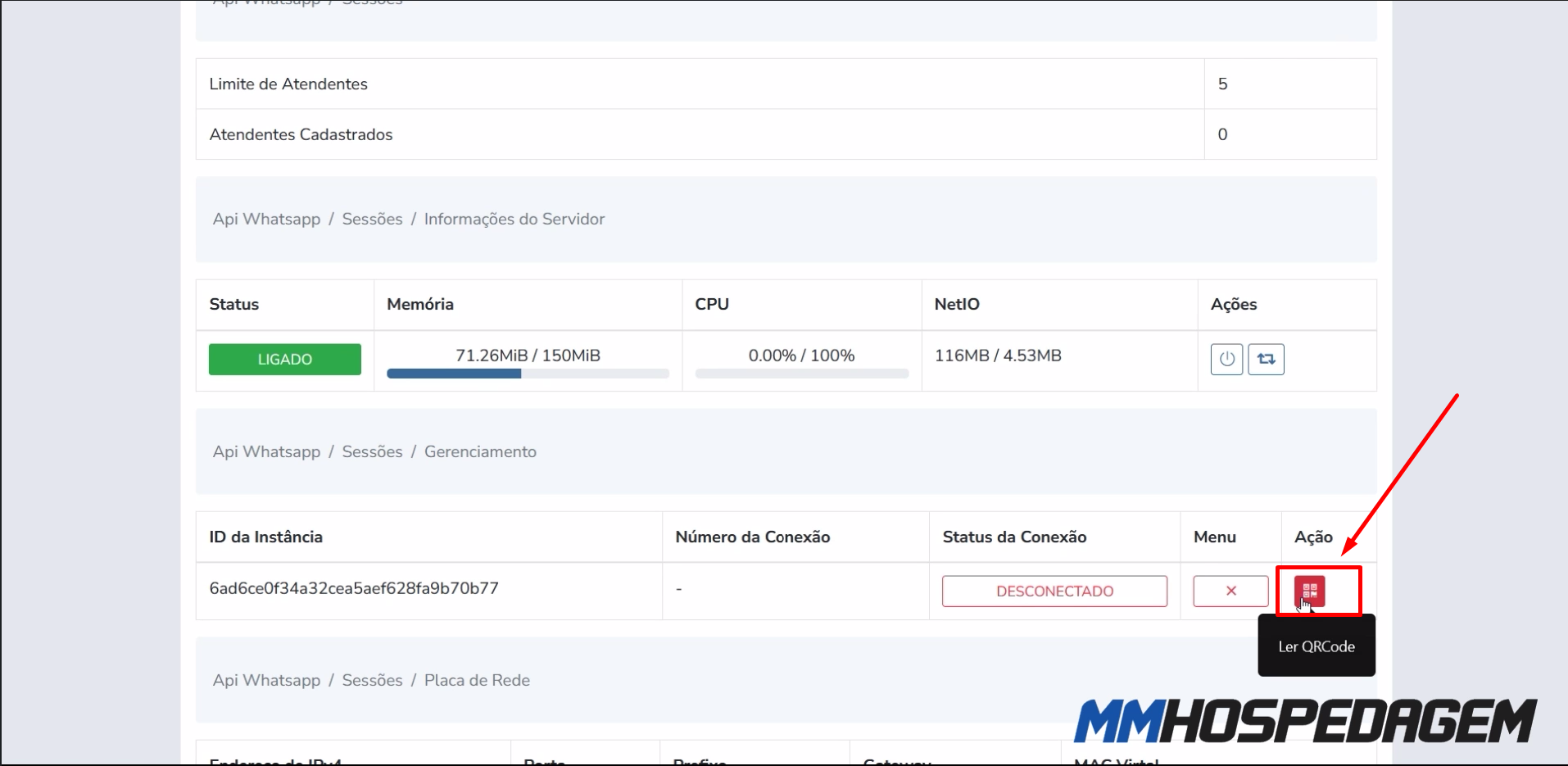
5 - Click on the "QR code" action button to generate the QR code and connect with WhatsApp, as shown in the image below:

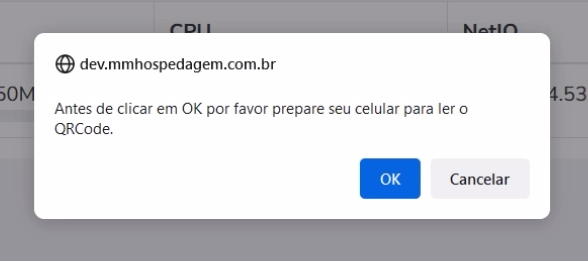
Note that, before clicking OK, you must have your phone ready to read the QR Code, as shown in the image below:
 

6 - Point your phone's camera to read the "QR code", as shown in the image below:


7 - Done! If WhatsApp is connected, you will see the notification as shown in the image below:


Was this answer helpful?

Seu feedback ajuda a equipe da MVO a manter a base mais útil e objetiva.

Relacionados

Related Articles

Outros conteúdos que podem ajudar na continuidade do seu atendimento.

Relacionado

Como Atualizar Addon API WhatsApp

Neste tutorial iremos ensinar a como atualizar o Addon API WhatsApp, a atualização é um processo muito simples. Confira o tutorial abaixo:   1 - Faça login na área do cliente...
Relacionado

How to activate/configure WhatsApp API

In this tutorial, we will show you how to activate the WhatsApp API in your WHMCS administrative panel. Log in to your WHMCS panel and follow the step-by-step guide below:...
Relacionado

How to download addons

In this tutorial, we will teach you how to download WhatsApp Addons and Extensions. Follow the step-by-step guide below:   1 - Access our Client Area:...
Relacionado

Instalando e configurando o módulo MultiAtendimento WhatsApp

Nesse tutorial ensinaremos como instalar e configurar a nova versão do módulo de Multi Atendimento do WhatsApp. Siga o passo a passo abaixo.   Instalação do Módulo Acesse a...
Relacionado

How to enable Admin notifications

In this tutorial, we will show you how to configure admin notifications. You can use the WhatsApp API to notify about received payments, created invoices, open tickets, and...

Powered by WHMCompleteSolution