How to enable Admin notifications
Conteúdo técnico, orientações práticas e apoio para acelerar sua operação com a MVO.
In this tutorial, we will show you how to configure admin notifications. You can use the WhatsApp API to notify about received payments, created invoices, open tickets, and more.
Check out the step-by-step process below:
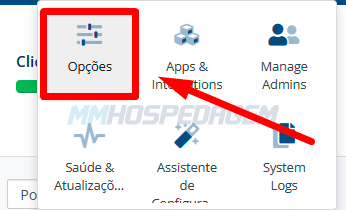
1 - Access the WHMCS settings menu and go to "Options":
Note that this step may be different in some WHMCS versions
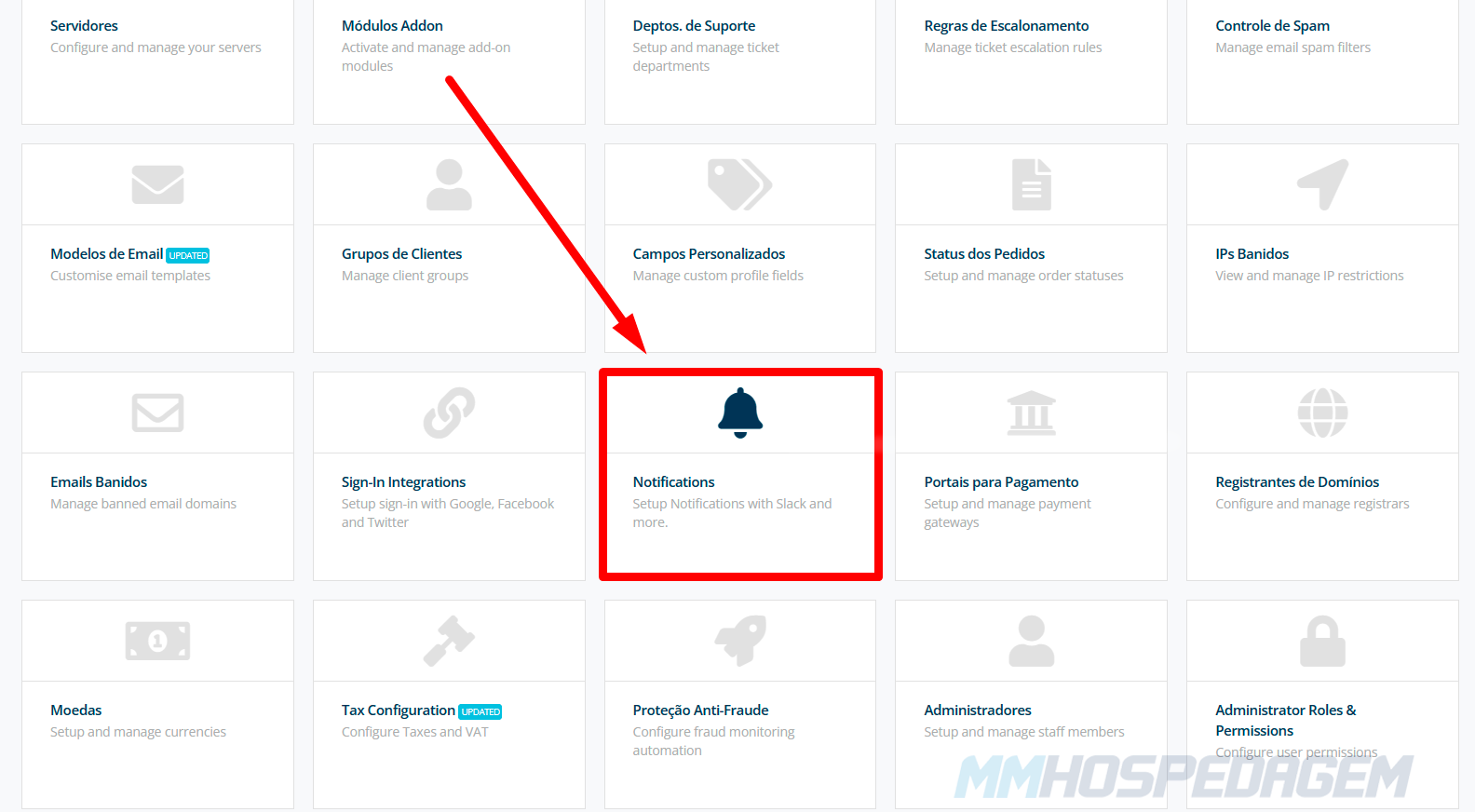
2 - In the options menu, click on "Notifications":
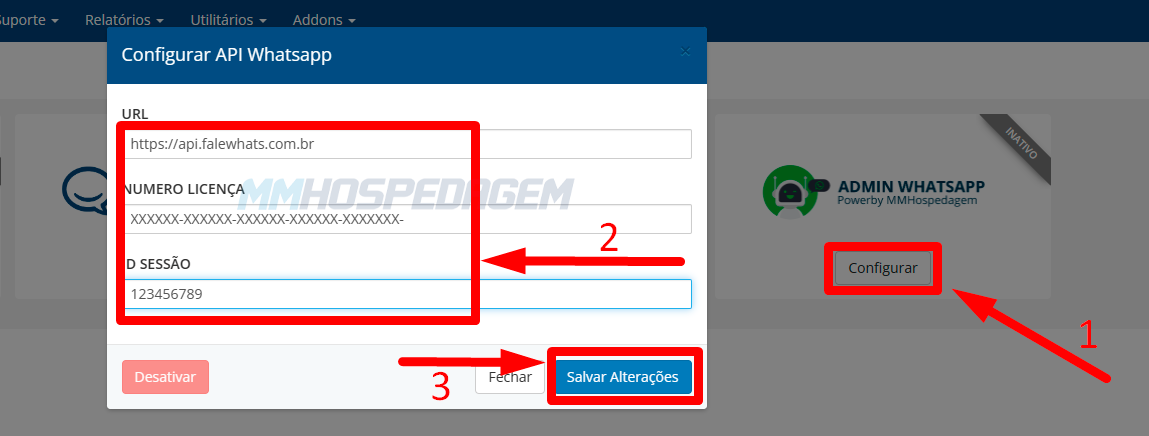
3 - Click the "Configure" button in Admin WhatsApp and fill in the options using your WhatsApp API data. Then click "Save Changes":
You can find this information in your client area, under: "Services" > "WhatsApp API" > "Manage" > "Sessions".
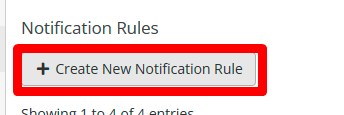
4 - To create a new notification rule, click the "Create New Notification Rule" button
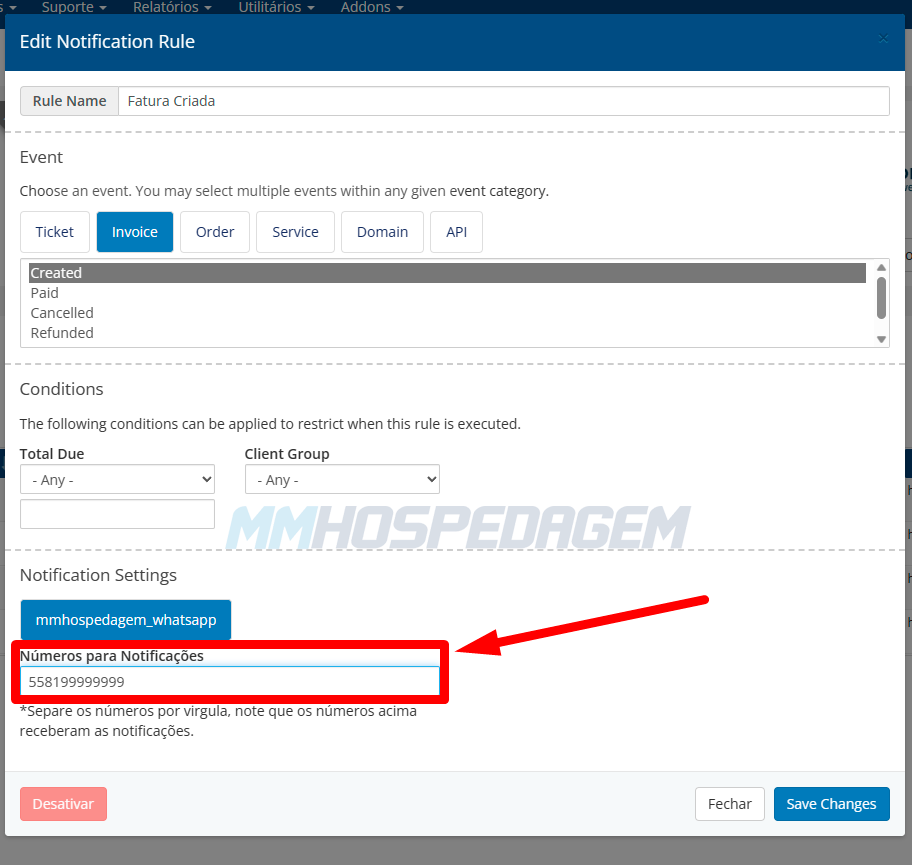
5 - Using conditions, you can configure WHMCS to notify you on WhatsApp about events that are important to you. For example:
Notify when a new invoice is generated
In "Notifications Settings" click on mmhospedagem_whatsapp and enter the WhatsApp number that will receive the notifications.
The number should include Country Code+Area Code+Number, e.g., 5581123456789
After configuring, click "Save Changes" to save.
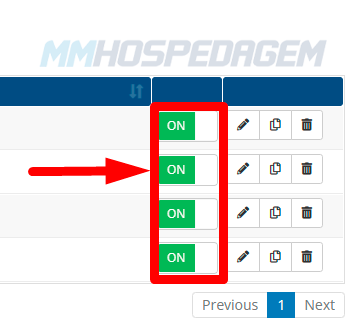
6 - To activate the notification rule and enable sending, click the "switch":
ON = On
OFF = Off
Was this answer helpful?
Seu feedback ajuda a equipe da MVO a manter a base mais útil e objetiva.
Related Articles
Outros conteúdos que podem ajudar na continuidade do seu atendimento.
Como Atualizar Addon API WhatsApp
How to activate/configure WhatsApp API
How to connect on WhatsApp
How to download addons
Instalando e configurando o módulo MultiAtendimento WhatsApp
Powered by WHMCompleteSolution