How to connect on WhatsApp
Print- API Whatsapp
- 24
In this tutorial, you will learn how to connect the API to WhatsApp.
1 - Access our Client Area: https://www.mmhospedagem.com.br/clientarea.php
Login as shown in the image below:
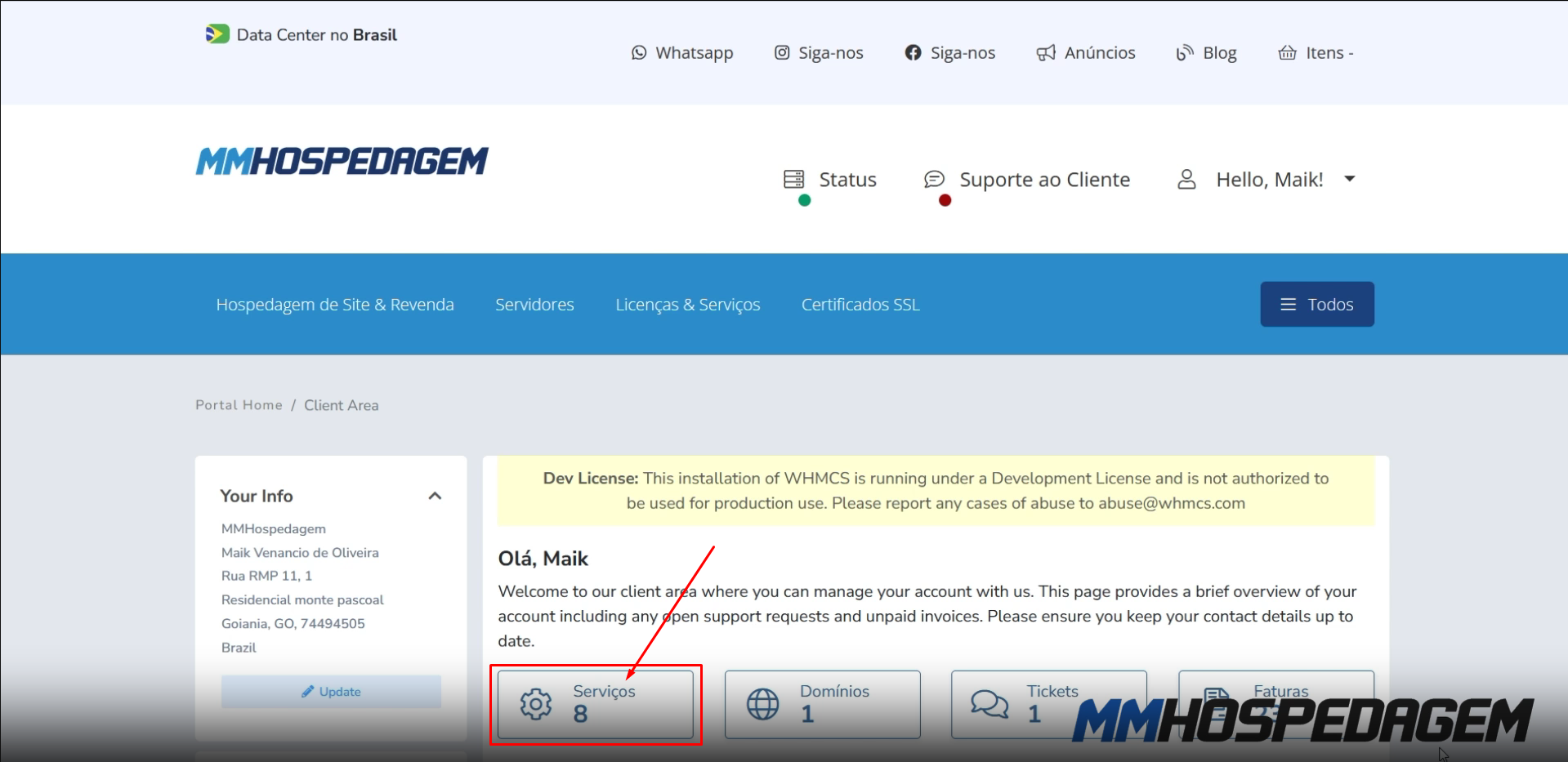
2 - After opening the Client Area, some information will appear, click only on "Services" as shown in the image below:
3 - Locate the instance you want to configure and click on "Manage" as shown in the image below:

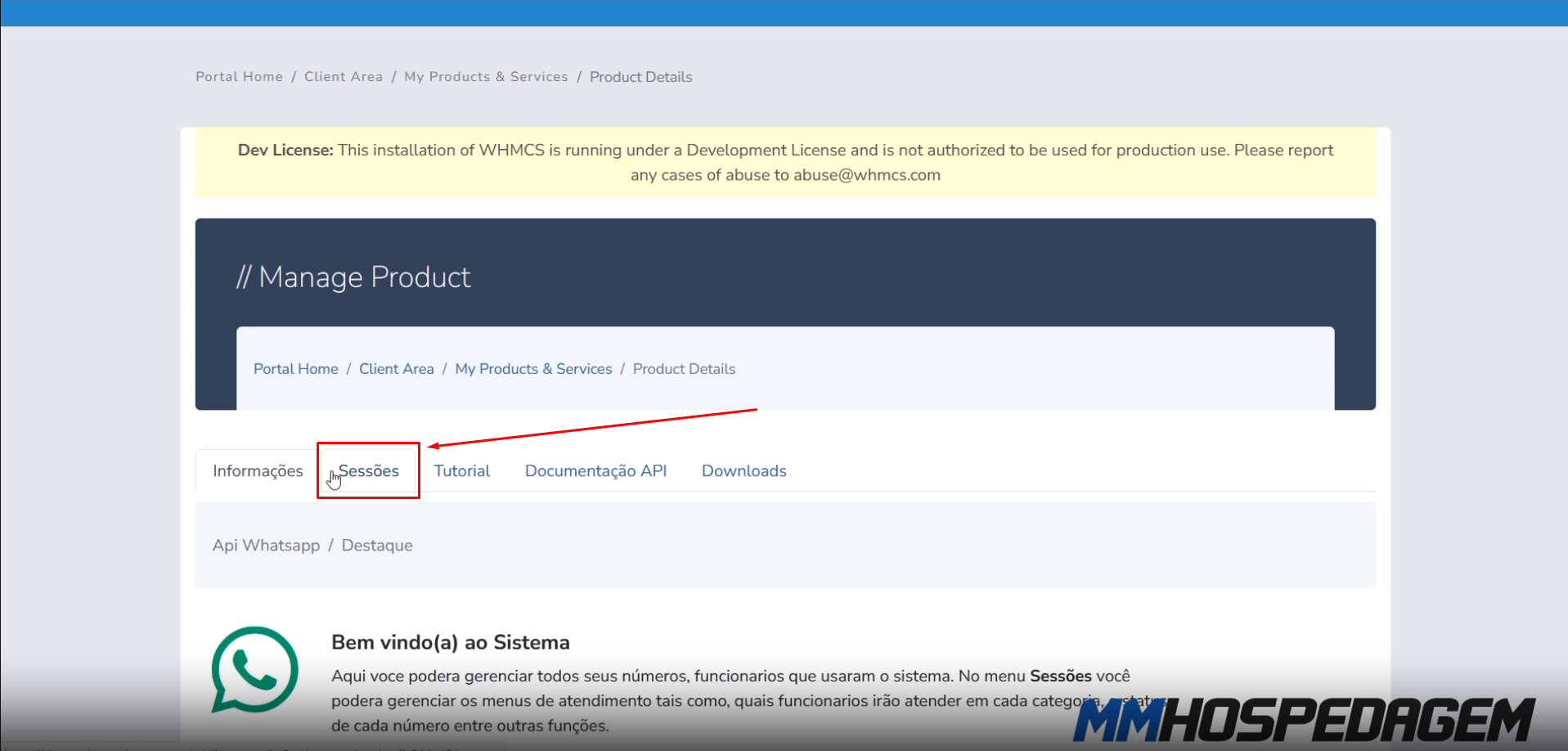
4 - Click on "Sessions" to manage your instance, then click on "Manage Instance" as shown in the images below:
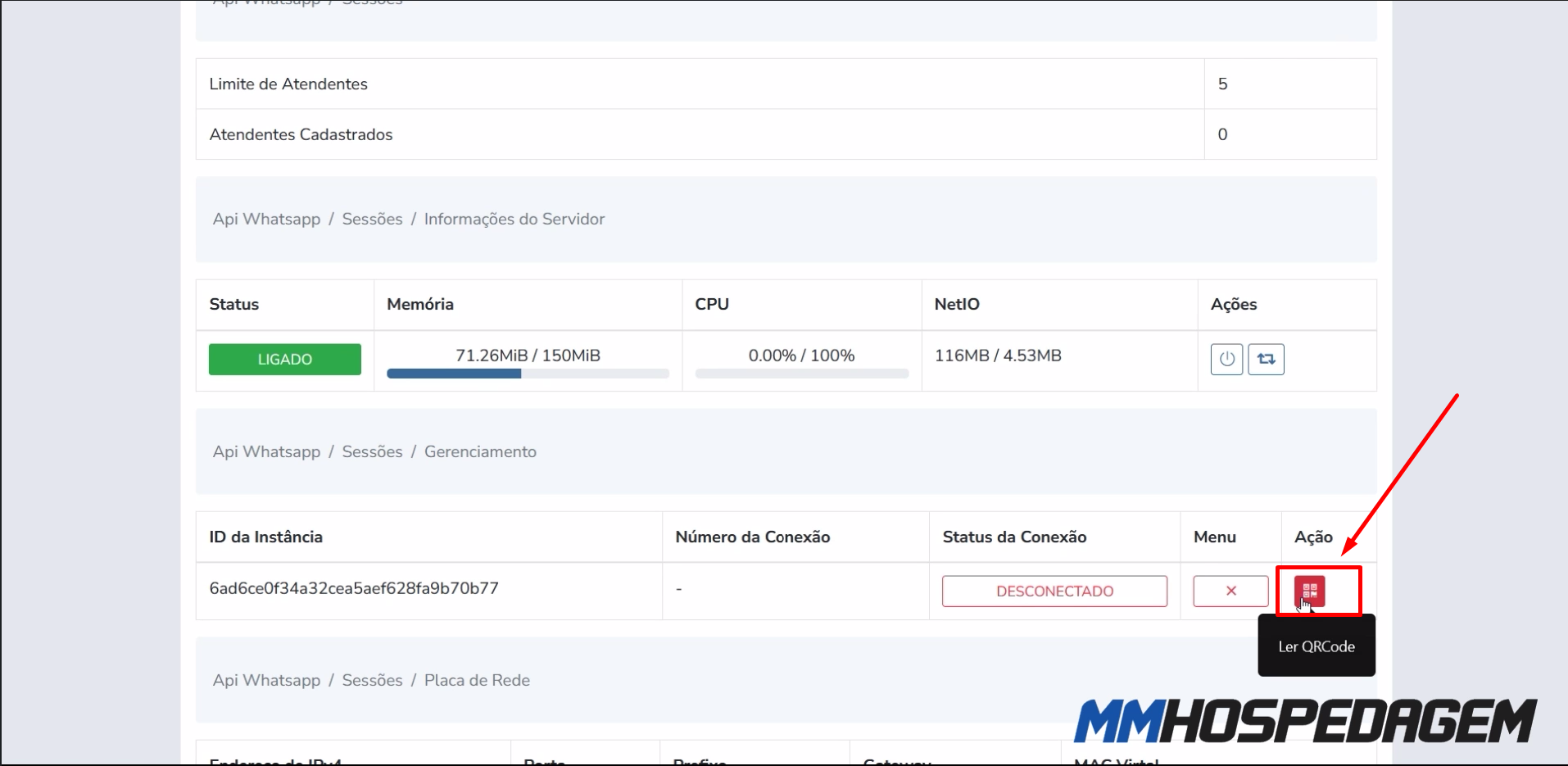
5 - Click on the "QR code" action button to generate the QR code and connect with WhatsApp, as shown in the image below:
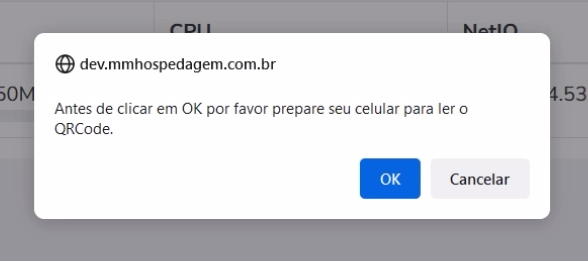
Note that, before clicking OK, you must have your phone ready to read the QR Code, as shown in the image below:
6 - Point your phone's camera to read the "QR code", as shown in the image below:

7 - Done! If WhatsApp is connected, you will see the notification as shown in the image below:

Was this answer helpful?
Related Articles
Como Atualizar Addon API WhatsApp Neste tutorial iremos ensinar a como atualizar o Addon API WhatsApp, a atualização é um processo...
How to activate/configure WhatsApp API In this tutorial, we will show you how to activate the WhatsApp API in your WHMCS administrative...
How to download addons In this tutorial, we will teach you how to download WhatsApp Addons and Extensions. Follow the...
Instalando e configurando o módulo MultiAtendimento WhatsApp Nesse tutorial ensinaremos como instalar e configurar a nova versão do módulo de Multi...
How to enable Admin notifications In this tutorial, we will show you how to configure admin notifications. You can use the...
Powered by WHMCompleteSolution